.png)
A finance manager closes the month, then discovers that the sales invoices issued during a network outage never reached the tax system. The accounting records may balance, but the compliance exposure remains. For Zambian enterprises, accounting software solutions now need to support financial control and Zambia Revenue Authority, ZRA, Smart Invoice readiness.
Sage, QuickBooks and Odoo can each support a serious business. The right choice depends on transaction volume, stock complexity, group reporting and the organisation’s ability to implement a Certified Invoicing System that connects to ZRA’s Virtual Sales Data Controller, VSDC.
The Smart Invoice requirement changes the software decision
ZRA required VAT-registered taxpayers to register for and use Smart Invoice by 30 September 2024. Standard non-compliance penalties applied from 1 October 2024, so software selection is now a governance decision rather than an administrative preference.
A taxable supplier must use an electronic invoicing system to record each sale. The potential penalties are substantial: up to K40,000 for a first offence, K80,000 for a second, and K120,000 or up to three years’ imprisonment, or both, for a third or later offence. The scale explains why a business should test its process before it issues its first live invoice.
ZRA separates taxpayers by operating model. Its desktop application is intended for taxpayers without accounting packages. The ZRA mobile application is for Turnover Tax taxpayers only, while the online Smart Invoice option suits service businesses that issue few invoices.
For a business already running Sage, QuickBooks or an ERP, the appropriate route is generally a Certified Invoicing System. The business applies through the Smart Invoice Taxpayer Portal, attaches the Smart Invoice Commitment Form and starts the integration process through [email protected]. That distinction matters because adding a manual process beside an established accounting system often creates duplicate records and weakens the audit trail.
Do not confuse a software licence with Smart Invoice approval
The mistake we would challenge first is the assumption that Sage, QuickBooks or Odoo automatically includes a compliant Zambia connector. ZRA approval concerns the specific system edition, deployment and connector, not the name printed on the software licence.
Ask a prospective implementation partner to demonstrate a completed sales invoice travelling from the system to the VSDC. Ask them to demonstrate a credit note, an offline transaction and the customer fields required on the invoice. A sales presentation that shows a dashboard but not these transactions does not answer the compliance question.
The Income Tax Electronic Invoicing System Regulations, 2025 reportedly extended electronic invoicing requirements to every business transaction for income-tax sales recording, including B2B and B2G customer name, address and TPIN requirements. This reported change, dated 19 December 2025, should be confirmed against the Government Gazette or current ZRA guidance before an enterprise redesigns its master-data process.
Sage vs QuickBooks vs Odoo for Zambian businesses
| Consideration | Sage | QuickBooks | Odoo |
|---|---|---|---|
| Best fit | Established businesses that want accounting-led controls and familiar finance processes | Smaller or growing businesses that need accessible accounting workflows | Enterprises that need finance, stock, sales and invoicing to work in one ERP |
| Core strength | Finance-led reporting and controls | Straightforward bookkeeping and day-to-day finance administration | Connected operational data across accounting, inventory, sales and invoicing |
| Smart Invoice position | May require a Zambia-specific certified connector | May require a Zambia-specific certified connector | May require a locally approved implementation and integration |
| Main implementation risk | Assuming the selected edition or connector has ZRA approval | Outgrowing basic workflow controls or adding manual processes around the system | Taking on an ERP project without clean master data and defined process ownership |
| Strongest use case | A finance function with established controls | A business with moderate complexity and disciplined bookkeeping | A distributor, manufacturer or multi-function enterprise with integrated process needs |
Sage: a finance-led choice
Sage often suits businesses that place the finance team at the centre of reporting, controls and statutory preparation. It can be a sensible choice where the business already has established chart-of-account structures and needs continuity in the finance function.
The key judgement is not whether Sage is recognised in the market. It is whether the specific Sage edition and local connector can issue compliant invoices through the VSDC. If that answer is unclear, do not approve the project on the assumption that a later integration will be simple.
Take a wholesaler with 18 users, two depots and regular credit sales. It may select Sage because its finance team already closes accounts there and its external accountant understands the reports. Before go-live, it should test a depot invoice, a returned consignment and a credit note through the certified integration, then reconcile those records to the general ledger. If the business skips that test, finance may spend month-end correcting sales records while operations continue invoicing customers.
QuickBooks: suitable where controls remain proportionate
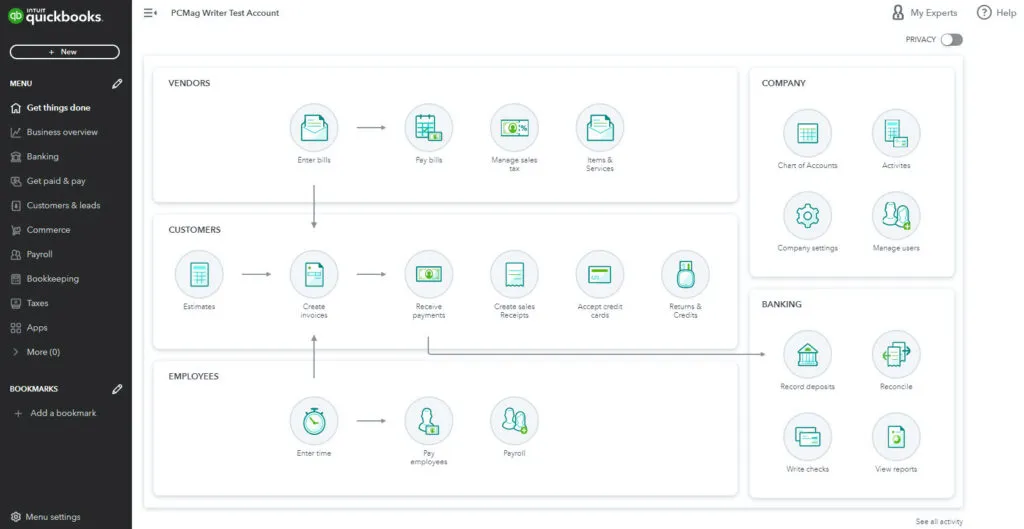
QuickBooks can work well for owner-managed businesses and growing service companies that need clean books, bank reconciliation and management reporting without a full ERP programme. It is often most effective when one accountable person owns the chart of accounts, customer setup and monthly close.
We would not recommend choosing QuickBooks simply because the initial user experience feels familiar. A business that has complex stock movements, multiple warehouses or heavy approval requirements should assess whether the operating model has already outgrown an accounting-led platform.
Consider a professional services firm with twelve staff and monthly billings of K600,000. It may use QuickBooks for project billing and expense control, while a certified connector handles Smart Invoice records. The firm should test whether its invoice template captures customer details consistently, especially for corporate and government customers. If staff create customer records differently each time, the compliance issue begins before the invoice leaves the system.
Odoo: an ERP decision, not only an accounting decision
Odoo is an ERP option for a business that wants accounting, stock, sales and invoicing to operate from connected data. That can reduce re-keying between departments, but it also means a weak item master, pricing rule or customer record can affect several functions at once.
Odoo deserves close consideration when inventory and operational workflow drive financial accuracy. A distributor that receives stock, transfers it between locations and sells through several channels will gain more from integrated controls than from a standalone general ledger.
Take an illustrative food distributor with 4,000 stock-keeping units, three warehouses and sales representatives who issue invoices in the field. The business may choose Odoo so that sales orders, stock availability and invoicing draw from one operational record. It should budget for data cleansing and user training before configuration, because duplicate items and incorrect units of measure will undermine reporting regardless of the software selected. If the distributor would do the project again, it should appoint process owners before it migrates data, not after.
A practical Smart Invoice readiness test
Smart Invoice readiness is not complete when a vendor says an interface exists. It is complete when the enterprise can produce the expected record under ordinary and exceptional conditions.
1. Confirm your taxpayer route
A VAT-registered business using an accounting package or ERP should assess the Certified Invoicing System route. Do not select the ZRA mobile app for a VAT-registered business, because ZRA reserves that application for Turnover Tax taxpayers.
A low-volume service business may consider ZRA’s online option, which ZRA positions for businesses that issue few invoices. If your business issues high invoice volumes, carries stock or has multiple invoice users, do not build the process around a tool designed for occasional invoicing.
2. Test the transactions that create exceptions
Ask the implementation team to process a normal tax invoice, credit note, cancelled sale, customer return and stock-related transaction. Each transaction should leave a trace that finance can reconcile to the general ledger, because a compliant invoice process still needs accurate financial statements.
The step many organisations skip is testing the invoice after a customer record changes. A revised TPIN, address or legal name can expose poor master-data controls, especially where sales teams create customers without finance review.
3. Document the offline-sales process
From 1 January 2025, manually recorded transactions must be uploaded to Smart Invoice within 72 hours after the system is restored. The deadline requires a written operating procedure, not an informal promise that staff will upload invoices later.
Name the person who records the outage transaction, the person who uploads it and the person who checks completion. Keep a log with the invoice number, outage time, restoration time and upload confirmation. This protects the business when ZRA asks how it controlled sales during downtime.
4. Reconcile every day during the first month
Compare sales in the accounting system, Smart Invoice submissions, credit notes and payment records each day during the first month after go-live. Daily review catches configuration errors while the number of affected invoices remains manageable.
A Lusaka conviction reported by ZRA in August 2026 resulted in a K125,000 fine for non-use of Smart Invoice. The enforcement action shows why boards should ask for implementation evidence and exception reports, not just a project completion update.
How we would make the choice
Choose Sage when the central need is mature accounting control and the business can verify a suitable certified Zambia integration. It is a measured route for a finance-led organisation that does not need every operational function in one ERP.
Choose QuickBooks when the business has manageable transaction complexity, disciplined bookkeeping and a clear owner for controls. If you have fragmented stock operations, multiple warehouses or complex approval chains, assess an ERP before you add workarounds that staff will struggle to maintain.
Choose Odoo when sales, inventory, invoicing and accounting need one connected operating model. The higher implementation commitment is justified only when the enterprise will enforce data ownership, approval rules and change management.
No platform removes management responsibility. The strongest accounting software solutions give leadership timely information, preserve an audit trail and support ZRA compliance without forcing staff into manual side processes.
Frequently Asked Questions
Does Sage automatically comply with ZRA Smart Invoice?
No. A Sage licence alone does not confirm compliance. Confirm the exact edition, connector and deployment with the implementation provider, and verify that the certified invoicing system connects to ZRA’s VSDC.
Can a VAT-registered business use the ZRA mobile app?
No. ZRA positions the mobile app for Turnover Tax taxpayers only. A VAT-registered business with an accounting package or ERP should assess the Certified Invoicing System route.
What should we do when Smart Invoice is offline?
Record the transaction under a documented offline procedure, then upload manually recorded transactions within 72 hours after the system is restored. This requirement has applied since 1 January 2025.
Is Odoo better than QuickBooks for a Zambian business?
Neither is automatically better. QuickBooks may suit a controlled, less complex finance environment. Odoo may suit an enterprise where inventory, sales and finance need connected records. In both cases, Smart Invoice approval depends on the specific local implementation.
A software decision should stand up to scrutiny from the finance director; operations lead and compliance team. Speak With Our Team to assess your accounting software, Smart Invoice route and implementation controls before go-live.