.png)
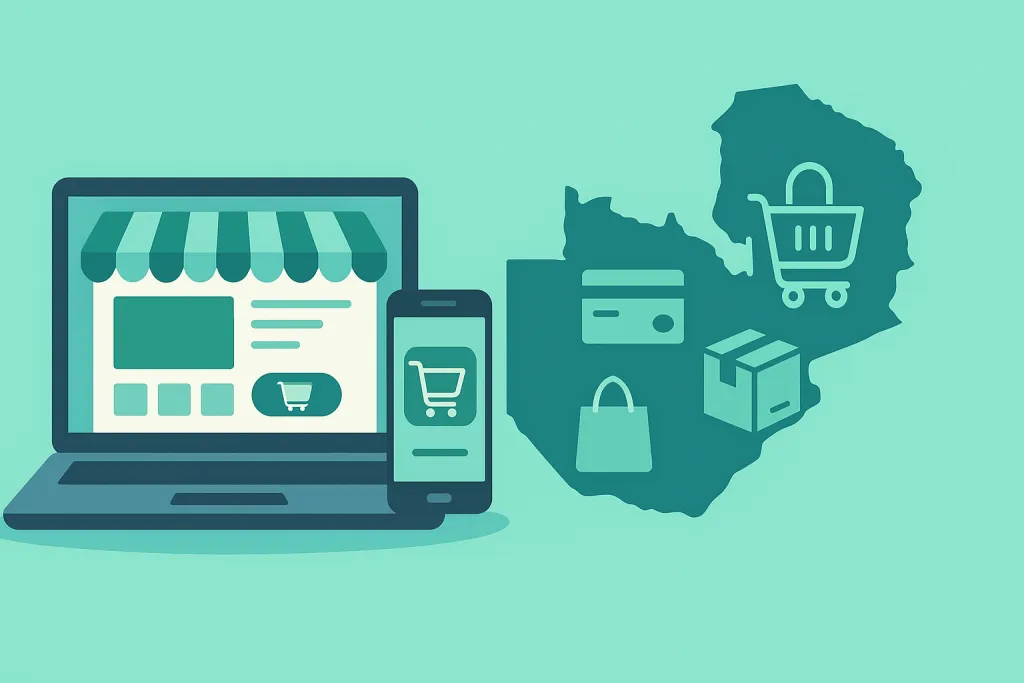
Launching an online store in Zambia has never been easier thanks to Odoo eCommerce’s all-in-one suite. Whether you’re an entrepreneur testing the waters or an established retailer expanding online, this guide walks you through every step—from installation and module activation to payment configuration and marketing optimization.
Why Choose Odoo eCommerce for Your Zambian Online Store
Odoo eCommerce combines website building, inventory, sales, accounting, and CRM into one integrated platform. Because of its modular design and local payment integrations, Odoo is ideal for Zambian businesses:
-
No-code website builder lets you drag and drop pages without a developer’s help.
-
Seamless back-office integration syncs orders, stock levels, invoices, and customer data in real time.
-
Extensible modules ensure you can start simple and scale—adding subscription services, loyalty programs, or multi-warehouse stock when needed.
By choosing Odoo eCommerce Zambia, you gain a unified solution that grows alongside your business.
1. Selecting Your Odoo Hosting Option
Before installation, decide where Odoo will run:
-
Hosted by Odoo; no server maintenance.
-
Ideal if you want a hands-off approach to updates and backups.
-
Cloud database with custom development support.
-
Balances control with reduced infrastructure overhead.
-
Full control over servers and data.
-
Requires IT expertise for maintenance and security.
Most Zambian SMEs start with Odoo Online and upgrade to Odoo .sh when custom modules or higher performance are needed.
2. Installing and Activating Key Modules
Once you register at www.odoo.com or deploy your instance:
-
Website & eCommerce (core)
-
Sales (order management)
-
Inventory (stock control)
-
Accounting (invoicing & taxes)
-
CRM (lead tracking)
-
Enable developer mode (for advanced settings) via the user menu.
-
Update modules to ensure the latest features and security patches.
3. Designing Your Online Store
Odoo’s website builder offers:
-
Responsive themes that adapt to desktop and mobile.
-
Drag-and-drop building blocks for headers, sliders, text blocks, and footers.
-
Custom HTML/CSS injection for advanced styling.
-
Free image library of over 3 million photos to enrich product pages.
Use clear, concise copy, high-quality images, and logical navigation menus. Aim to keep each sentence under 20 words and each paragraph under six sentences to boost readability.
4. Adding and Managing Products
Odoo’s product management lets you:
-
Create rich product descriptions with headings, bullet points, and embedded media.
-
Configure variants (size, color) that auto-update based on customer filters.
-
Define categories and subcategories for intuitive browsing.
-
Set pricing rules such as quantity discounts or promotional price lists.
Remember to include your focus keyword (“online store in Zambia”) naturally in product titles and descriptions where relevant—but avoid stuffing.
5. Configuring Zambian Payment Gateways
Accepting local payment methods is crucial for conversions:
-
ZynlePay supports VISA, MasterCard, Maestro, and AmEx.
-
Flutterwave and Paystack enable card payments and mobile money.
-
Zoona offers cash-in/cash-out vouchers across its agent network.
To set up:
-
Navigate to Website → Configuration → Payment Acquirers.
-
Select your provider and enter API keys obtained from their portals.
-
Enable test mode to process sample transactions before going live.
Always display clear payment icons at checkout to build trust.
6. Applying Zambian Tax Regulations
Zambia’s VAT at 16% applies to most goods and services. To configure:
-
Install the Zambia fiscal localization package under Accounting → Configuration → Fiscal Localization.
-
Verify the 16% VAT rate is active in Taxes.
-
Link tax rules to product categories or individual items.
-
Run test sales to confirm correct tax computation on invoices.
Maintaining compliance prevents fines and enhances credibility.
7. Setting Up Shipping and Delivery
Odoo supports flexible delivery options:
-
Click & Collect for customers who prefer in-store pickup.
-
Per-zone carrier pricing, defining rates by province or district.
-
Real-time carrier integrations (e.g., DHL, UPS) via additional modules.
-
Custom delivery rules such as free shipping over a certain order value.
Offer at least two reliable options to reduce cart abandonment.
8. Launching and Promoting Your Store
Before going live:
-
Test the entire purchase flow: browse, add to cart, checkout, payment, and order confirmation.
-
Optimize SEO: use descriptive URLs, meta titles, and alt tags; focus keyword in page title and H2 subheadings.
-
Integrate Google Analytics and Facebook Pixel to track referrals and conversions.
For ongoing traffic:
-
Run targeted social media ads on Facebook, Instagram, and LinkedIn.
-
Send email newsletters highlighting new arrivals or promotions.
-
Implement loyalty programs to reward repeat customers.
-
Publish blog content optimized for local keywords like “Zambia online shopping tips.”
9. Advanced Features to Scale Your Business
-
Multi-currency display: show prices in USD or EUR alongside Zambian Kwacha to attract international buyers.
-
Real-time stock updates across multiple warehouses to prevent overselling.
-
Live chat widget for instant customer support.
-
Abandoned cart recovery emails to recapture lost sales.
-
Subscription models for recurring orders (e.g., grocery or consumables).
These features help you compete and grow in Zambia’s dynamic eCommerce landscape.
Conclusion
By leveraging Odoo eCommerce Zambia, you streamline every aspect of your online retail—from effortless store design and local payment integration to automated tax compliance and targeted marketing. This unified platform empowers you to launch quickly, manage operations efficiently, and scale your business with advanced features like multi-currency support and abandoned-cart recovery. Embrace Odoo eCommerce Zambia today to unlock new revenue streams and confidently grow your presence in Zambia’s booming digital marketplace.